How Construction Visuals Support OAC Meetings
OAC meetings are easier when owners, architects, contractors, and project stakeholders can review progress with organized visuals instead of scattered jobsite photos.
Article intro
An OAC meeting can get messy fast when the owner is looking at one version of progress, the architect is looking at another, and the contractor is trying to explain field conditions from memory.
That is where organized construction visuals help.
For commercial projects, photos and video clips are not there to make the meeting prettier. They are there to give owners, architects, contractors, and project executives a shared view of what is actually happening on site.
Synced Frames supports OAC meetings through structured construction documentation: recurring ground coverage, drone documentation where feasible, milestone capture, completion visuals, and organized project archives.
The point is not to replace the project controls.
The point is to make the conversation clearer.
Part 1
What this topic means
The short answer
Construction visuals support OAC meetings by helping the owner, architect, contractor, and project team look at the same current jobsite conditions during the same conversation.
A useful OAC visual set may include current site overviews, exterior progress photos, interior progress photos, drone context where feasible and allowed, milestone photos, same-angle progress comparisons, detail and condition photos, areas ready for review, and labeled folders with dated image sets.
Good OAC visuals answer simple questions: where are we, what changed, what is ready, what needs attention, and who needs to make a decision?
That is the standard.
What is an OAC meeting?
An OAC meeting is a recurring project meeting between the owner, architect, and contractor.
On many commercial projects, the OAC meeting is where the main project team reviews schedule status, open items, RFIs, submittals, change issues, field observations, owner decisions, upcoming work, and coordination needs.
Depending on the project, the meeting may also include owner's reps, developers, project executives, engineers, consultants, tenant reps, lenders or investor representatives, facilities or operations teams, and marketing or leasing stakeholders.
The OAC meeting is not a photo review session. But good visuals can make the meeting sharper, especially when the team is discussing field progress, owner decisions, milestone completion, or areas ready for review.
One clean photo can settle 10 minutes of "wait, which area are we talking about?"
Why clear visual context matters
Construction meetings depend on shared understanding. That is harder than it sounds.
A superintendent may have walked Building B at 6:30 a.m. The architect may be reviewing a field report from last Thursday. The owner may be joining from Chicago. The project executive may only have 45 minutes before another call.
Clear visuals help everyone start from the same place.
They can show what changed since the last OAC meeting, which areas are complete, active, or waiting, what the site looks like now, where a decision is needed, which milestones are visible, which areas need owner or architect review, and what work is ready to be discussed in detail.
Written updates are still needed. Meeting minutes still matter. Schedules still matter. But a dated photo from Level 03, Corridor C, taken on May 14, gives the team something concrete to work from.
The problem with scattered project visuals
Most project teams already have photos. That is not the problem.
The problem is where those photos live.
On a real commercial job, images may be scattered across superintendent phone galleries, Procore albums, SharePoint folders, Microsoft Teams chats, text threads, email attachments, iCloud albums, architect field reports, owner update decks, marketing folders, or someone's desktop from three months ago.
That creates friction before the meeting even starts.
The result is not always dramatic. It is usually just slower, messier, and harder to trust later.
What usually goes wrong
Scattered visuals create familiar problems:
- No one knows which photo is current
- File names do not explain the area
- Photos are mixed with unrelated jobsite snapshots
- The same area is photographed from different angles every time
- Important milestones are missing
- Good images are buried in text threads
- Remote stakeholders see only what someone remembered to send
- Meeting prep takes longer than it should
The issue is not that field teams are careless. They are busy building the job.
A superintendent's phone photo has a purpose. It may answer a question, document a condition, or help coordinate a subcontractor. OAC visuals have a different job: they need to support group understanding.
Why written updates alone are sometimes not enough
Written updates are necessary. But words can flatten field conditions.
"Exterior framing is progressing on the west elevation" may be accurate. It may also leave six people picturing six different things.
A photo can show how much of the west elevation is framed, which bays are open, whether sheathing has started, how the storefront opening looks, what equipment or access constraints are nearby, and whether the area looks ready for architect review.
The written update says what happened. The visual shows what it looks like.
That distinction matters when the owner has a decision to make before Friday, or when the architect needs to review a visible condition before drywall closes it up.
Mid-article next step
Need cleaner visuals before the next meeting?
Build recurring OAC-ready coverage so progress context and milestone visuals are ready before owner and architect reviews.
Part 2
What should be captured for OAC meetings
What types of visuals are most useful during OAC meetings?
The best OAC visuals are practical. They are not random beauty shots.
Useful meeting visuals usually include current site overviews, ground-level exterior progress photos, ground-level interior progress photos, drone context where feasible and allowed, milestone photos, same-angle progress comparisons, detail and condition photos, areas ready for review, completion or near-completion visuals, and labeled folders with dated image sets.
Good OAC visuals are not about pretty pictures. They are about fewer confused conversations.
How current site overviews help the conversation
A current site overview gives the meeting a starting point.
On a large commercial site, one person may be thinking about the entry drive. Another may be focused on Building A. Someone else may care about the loading area, stormwater work, or tenant frontage.
A site overview helps orient the conversation before the team goes into details.
Current site overviews may show overall site activity, building orientation, access points, parking and paving progress, laydown areas, major equipment locations, site logistics, adjacent roads or neighboring parcels, phase boundaries, and areas affected by weather or access limits.
How ground-level progress photos support the meeting
Ground-level photos are often the most useful visuals in an OAC meeting.
They show the project from the same perspective the team sees during a walk. That matters for discussions about exterior elevations, interiors, finishes, access, sequencing, and review items.
Ground-level photos can support discussion around what work is visibly complete, what work is in progress, which areas are ready for review, what conditions need follow-up, how public-facing areas are taking shape, and what owners and executives should expect on their next site visit.
A useful jobsite photo does not need to be dramatic. It needs to be findable, dated, and clear.
How drone context can help, when feasible
Drone documentation can help OAC teams understand the full site, especially on larger commercial projects.
That said, drone coverage should always be qualified. It only makes sense when airspace, weather, site rules, and safety conditions allow.
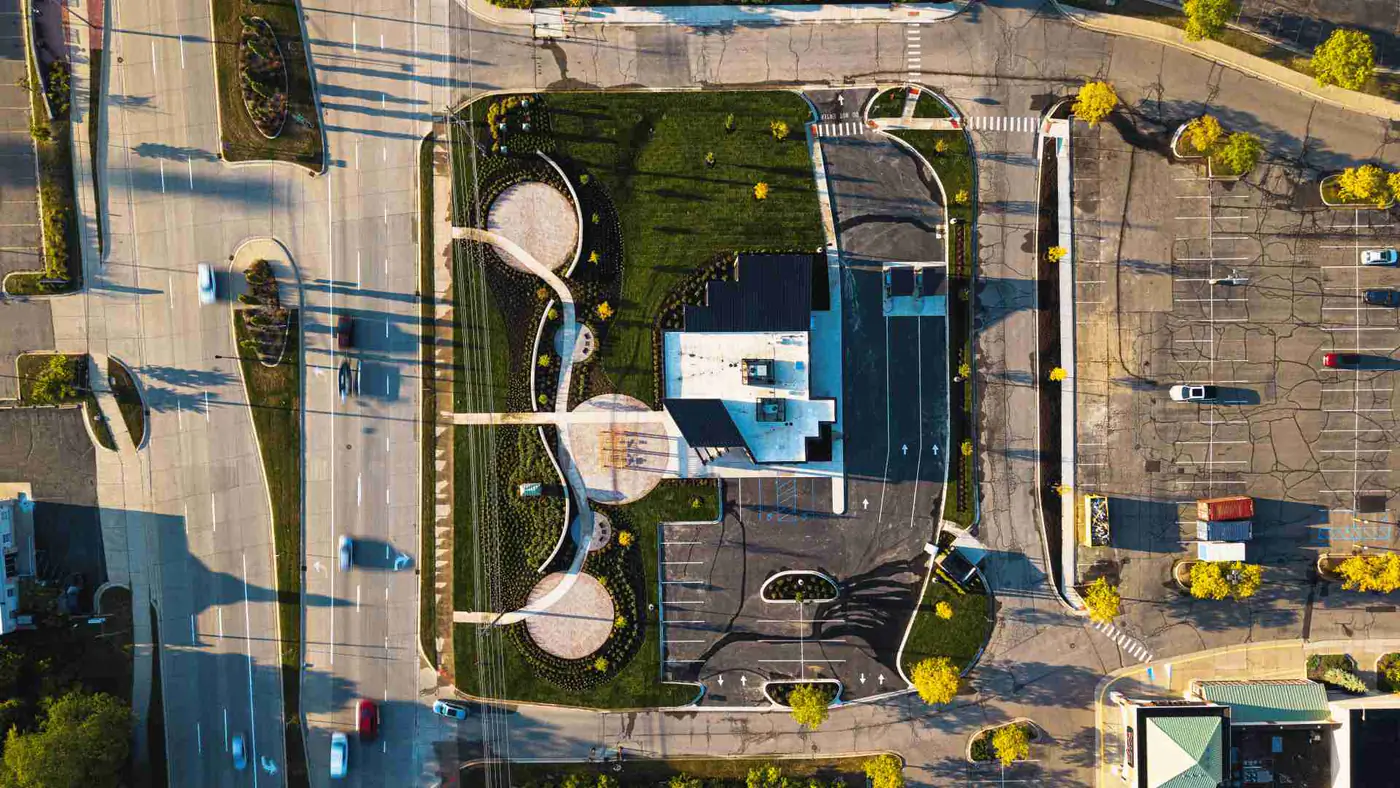
When feasible, drone visuals can help show overall site progress, roof status, paving and parking progress, building footprint and orientation, site logistics, stormwater and drainage areas, work across multiple buildings, and phasing across a larger development.
But drone visuals should not be forced. If airspace or site rules restrict drone use, strong ground-level documentation can still support the OAC meeting.
How exterior and interior progress should be shown
Exterior progress is one of the most common OAC visual needs.
Owners want to see how the project is presenting from the street. Architects want to see envelope and design progress. Contractors may need to discuss sequencing, access, or work areas.
Exterior OAC visuals should show main public-facing elevations, secondary and rear elevations, corners and transitions, storefront or curtain wall progress, masonry or panel progress, roof edge and parapet conditions where visible, canopies and entry features, loading docks and service yards, sidewalks and accessible routes, parking and paving, landscaping, and signage areas.
Interior progress can be harder to explain without visuals. Lobby, corridor, stair, elevator lobby, restroom, tenant space, amenity area, mechanical room, electrical room, IT room, finish, and punch-stage photos help the team discuss what is really happening.
How milestones and same-angle photos help
Milestones matter because they mark visible progress and decision points.
Useful OAC milestone documentation may include site clearing, mass grading, foundation work, slab preparation, concrete pours, steel erection, topping out, roof dry-in, building enclosure, storefront or glazing installation, MEP rough-in before concealment, insulation before drywall, drywall start and finish, first finished room or model area, major equipment installation, paving and striping, substantial completion, and final completion visuals.
Same-angle photos are one of the simplest ways to make OAC visuals more useful. When the same elevation, corridor, lobby, or site area is photographed from a consistent position, the team can compare progress without mental gymnastics.
A random photo shows a moment. A same-angle sequence shows progress.
How organized folders and labeled files reduce meeting prep
The best visual documentation is not only captured well. It is delivered in a way that project teams can use quickly.
A useful folder structure might look like this:
2026-05-31 OAC Visual Set
01 Site Overview
02 Drone Context, where feasible
03 Exterior Progress
04 Interior Level 01
05 Interior Level 02
06 Milestones
07 Areas for Review
08 Owner Update Selects
Useful file names might look like this:
2026-05-31_BuildingA_WestElevation_Progress_001.jpg
2026-05-31_Level02_CorridorC_DrywallProgress_004.jpg
2026-05-31_SiteOverview_NorthLookingSouth_002.jpg
A good folder structure is not glamorous. It just saves time.
Part 3
How teams use OAC visuals
How visuals support remote stakeholders
Not every stakeholder can walk the site.
Owners may be out of state. Project executives may be covering eight jobs. Architects may have limited site visit windows. Investors, lenders, tenant reps, and marketing teams may only see the project through updates.
Organized OAC visuals help remote stakeholders understand where the project stands today, what changed since the last update, which areas are ready for review, what the exterior looks like from public-facing angles, how interiors are taking shape, whether key milestones are visible, and what the team is discussing in the meeting.
Remote stakeholders do not need every photo. They need the right views, clearly labeled.
How visuals help identify areas ready for review
OAC meetings often include review timing: what is ready, what is almost ready, and what needs a decision before work continues.
Visuals can help flag areas that need attention. They may show a lobby ready for finish review, a mockup ready for owner comment, a corridor ready for architect observation, a tenant space ready for walkthrough, a restroom nearing punch, exterior facade work ready for design review, MEP areas before concealment, or sitework areas ready for owner visibility.
The photo does not make the decision. It helps the right person understand the decision.
How visuals support decisions without replacing formal reporting
Construction visuals can support decisions, but they should not be treated as formal project controls.
Photos can help the OAC team discuss field progress, areas ready for review, visible conditions, stakeholder questions, sequence impacts, owner-facing updates, milestone completion, and areas needing follow-up.
But visuals do not replace meeting minutes, daily reports, schedules, architect field reports, inspection reports, pay applications, owner's rep walks, formal project controls, code review, lender review, or payment approval.
The line is simple: visuals support the conversation. They do not certify the work.
How monthly construction documentation supports OAC meetings
Monthly construction documentation gives OAC teams a consistent visual baseline.
Instead of scrambling for photos before every meeting, the project team has a planned archive of dated progress images, milestone visuals, ground coverage, drone context where feasible, and organized files.
Monthly documentation can support OAC meetings by showing visible progress since the last documentation cycle, creating consistent comparison points, giving owners a cleaner update package, helping architects see current field conditions, helping contractors explain sequence and status, giving remote stakeholders a clearer view, creating reusable visuals for future reports and closeout, and reducing dependence on scattered phone photos.
For faster-moving phases, monthly may not be enough. Some projects may need multiple visits per month, especially during enclosure, interior rough-in, turnover, or owner review periods.
What teams should avoid overclaiming about OAC visuals
OAC visuals are useful. They are not magic.
Project teams and documentation providers should avoid claiming that visuals replace inspections, certify work quality, verify code compliance, confirm percentage complete, approve payment, replace meeting minutes, replace schedules, replace architect field reports, replace owner's rep walks, replace daily reports, replace lender or inspection processes, resolve every dispute, or catch every issue.
Good visual documentation is honest about its role. It gives teams a clearer record of what was visible at a point in time.
How OAC visuals can be reused after the meeting
OAC visuals should not die in the meeting deck.
If they are organized well, the same images can be used later for owner updates, board reports, investor communication, RFP responses, shortlist interviews, case studies, closeout packages, project archives, portfolio pages, leasing updates, tenant communication, future renovation planning, internal training, and business development.
That is why the files should be labeled, dated, and stored with some discipline.
Part 4
What to expect from a documentation partner
Why a recurring documentation partner makes OAC prep easier
A recurring documentation partner helps because the process becomes repeatable.
The same project does not need to be explained from scratch every time. The documentation partner learns the site, the access rules, the key elevations, the owner-facing areas, the milestone priorities, and the folder structure the team prefers.
That can make OAC prep easier because the visuals are captured on a known cadence, organized consistently, labeled for practical use, focused on stakeholder communication, available for owner updates, useful beyond the meeting, and built into a long-term project record.
Synced Frames supports this by providing recurring ground coverage, drone documentation where feasible, milestone capture, completion visuals, and organized project archives for commercial construction teams.
What is the real business risk of relying only on scattered internal photos?
The real risk is not that the team has no photos. The risk is that the team has thousands of photos but no usable record.
That creates problems later: the owner update looks weaker than the work, the OAC team loses time trying to explain conditions, the business development team cannot show the company's best work in a proposal, the closeout archive feels incomplete, the project history depends on one person's phone, milestones disappear because nobody knew they would matter later, teams make claims without strong visual proof, and a great project becomes hard to communicate.
Commercial construction is full of work that deserves to be seen clearly. Phone photos help the job move today. Structured construction progress photography helps the project stay useful tomorrow, next quarter, and five years from now when the next owner asks, "Have you built something like this before?"
How both systems can work together
The best setup is not either-or. It is both.
Superintendents keep taking phone photos for field communication. That should not stop. Those images are part of how work gets done.
A professional documentation partner adds a planned layer over that day-to-day activity. A simple split works well: superintendent phone photos are best for issues, details, punch, trade questions, quick proof, and same-day decisions, while structured progress photography is best for owner updates, OAC visuals, milestones, drone context, monthly archives, executive communication, RFPs, proposals, and closeout proof.
The superintendent does not need to become the historian, photographer, archivist, and marketing asset manager on top of running the job.
Part 5
FAQ and next steps
FAQ
OAC visuals FAQ
Do OAC meetings require professional construction visuals?
Not always. Smaller projects may work with internal photos. Larger commercial projects usually benefit from recurring visual documentation when stakeholders need a clearer shared view of progress.
Can construction visuals replace OAC meeting minutes?
No. Visuals support the conversation, but they do not replace meeting minutes, schedules, daily reports, architect field reports, pay applications, inspections, or formal project controls.
What visuals are most useful for an OAC meeting?
The most useful visuals are current, labeled, and tied to real discussion points. That usually includes site overviews, exterior progress, interior progress, milestones, same-angle comparisons, and areas ready for review.
Should drone visuals be included in every OAC update?
Only where feasible. Drone documentation depends on airspace, weather, site rules, safety conditions, and project access. When drone is not appropriate, strong ground-level coverage can still give the team useful context.
How often should visuals be captured for OAC meetings?
It depends on the project pace. Monthly documentation works well for many commercial projects. Faster-moving phases may need multiple visits per month, especially around enclosure, interior rough-in, major milestones, owner reviews, or turnover.
Related
Related resources
OAC Meeting Visuals
Use-case page for recurring OAC meeting documentation workflows.
Monthly Coverage
Recurring documentation options by cadence and reporting needs.
Monthly Construction Documentation Service
Service framework for recurring visual documentation.
Owner Updates
Owner-facing progress communication use case.
RFP and Proposal Visuals
Pursuit and proposal use case.
Construction Closeout Documentation
Closeout and final record use case.
Drone Construction Documentation
Drone documentation service for commercial projects.
Case Studies
Project proof pages and documented workflow examples.
Contact
Talk with Synced Frames about recurring OAC-ready documentation.
Next step
Need cleaner visuals for your next OAC meeting?
If your team is relying on scattered phone photos, last-minute screenshots, or unlabeled folders before owner and architect meetings, a recurring documentation plan can make the process cleaner.