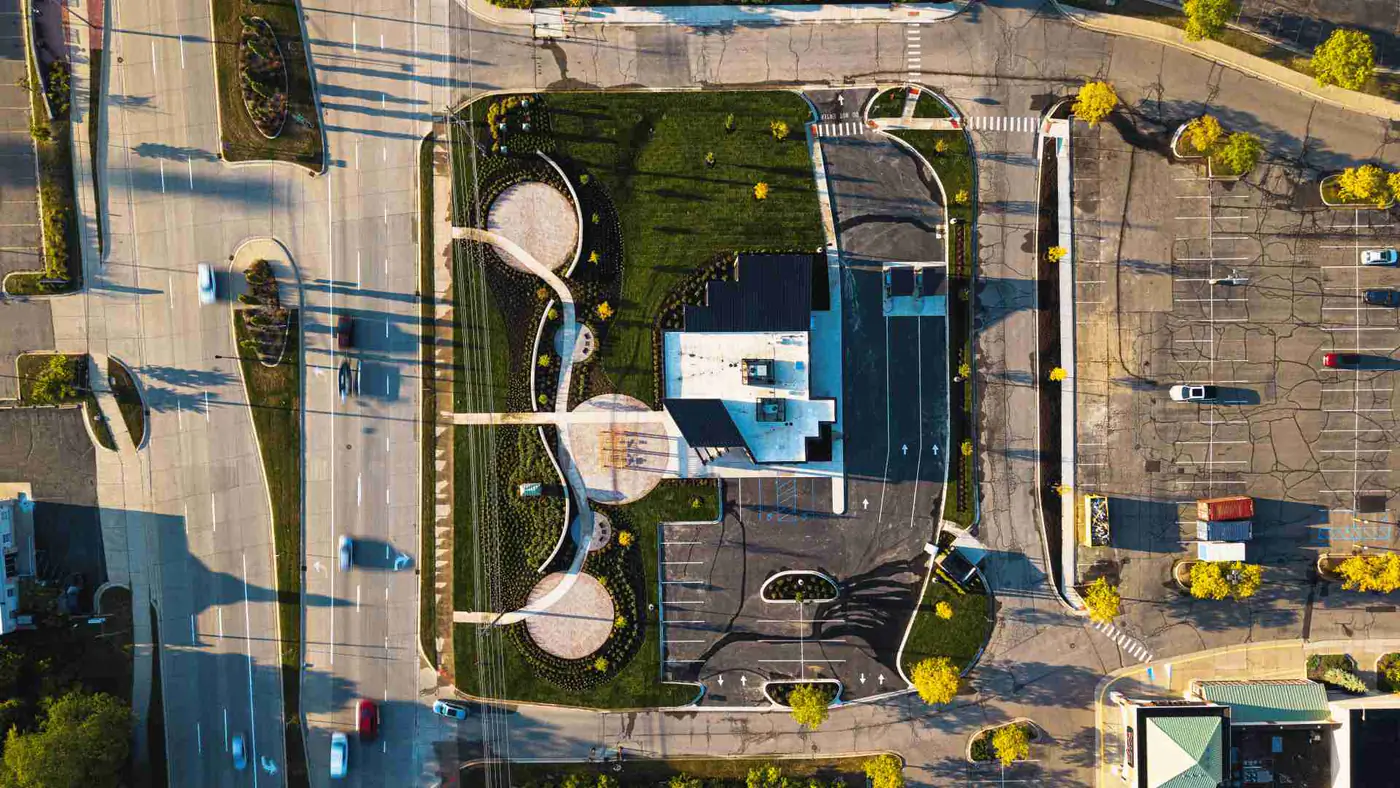
OAC Meeting Visuals for Commercial Construction Projects
Structured construction visuals for owner-architect-contractor meetings, helping project teams present progress, site context, and milestone visibility with less last-minute scrambling.
OAC meetings need clearer project visibility.
OAC meetings often require progress updates, site context, milestone evidence, and clear communication between owners, architects, contractors, and project stakeholders.
Teams may already have photos, but those photos are frequently scattered across phones, folders, Procore exports, texts, and internal drives, which slows down meeting prep.
Synced Frames helps turn project visuals into a cleaner visual record that supports recurring OAC updates with better structure and faster reuse.
Use Cases
When teams use this.
Monthly OAC meetings
Owner progress updates
Active construction milestones
Site access or exterior progress reviews
Stakeholder presentations
Pre-closeout project visibility
What the visual package can include.
Ground progress photos
Ground-level coverage documents active work zones and status changes teams need to discuss during meetings.
Aerial site context
Aerial visuals can add broader site context for phasing, access routes, and exterior readiness conversations.
Milestone documentation
Milestone-focused capture gives teams clear reference points for what is complete, in progress, or pending.
Exterior and interior progress views
Coverage can include both exterior and interior conditions where meeting stakeholders need full-site visibility.
Detail and condition photos
Detail visuals help teams review specific conditions and communicate issues or progress with less ambiguity.
Organized delivery for meeting use
Files are delivered in a structure that is easier to plug into OAC decks, PDFs, and internal records.
Process
How it works.
Align on meeting needs
Identify what the team needs to show for the upcoming OAC meeting and where visual clarity is most critical.
Capture the project status
Document progress, context, milestones, access points, exterior and interior conditions, and relevant field details.
Deliver usable visual assets
Organize visuals so they are ready for meeting decks, PDFs, owner updates, and internal project records.
Why this matters.
A scattered photo folder does not always help a project team communicate clearly. OAC visuals need context, consistency, and structure. A recurring documentation partner helps teams walk into meetings with cleaner proof of what changed, what is complete, and what needs attention.
How these assets can be used.
OAC meeting decks
Prepared visuals can be dropped directly into deck formats for recurring owner-architect-contractor discussions.
Owner progress updates
The same asset set can support structured owner communications between scheduled meetings.
Executive summaries
Leadership-level summaries benefit from cleaner visuals that highlight progress and milestone status quickly.
Project archive records
Organized visuals help preserve a reliable historical record for future reference and audit needs.
RFP or proposal proof later
Completed and organized project visuals can support future pursuit materials when needed.
Closeout documentation
The documentation stream can transition into closeout records as projects move toward final completion.
Also available
Related use cases and services.
Lender Draw Documentation
Use draw-focused documentation workflows for progress verification and financial reporting support.
Open page
RelatedOwner Updates
Support owner-facing communications with consistent project visuals and status context.
Open page
RelatedInvestor Updates
Build investor-ready update packages with clearer visibility into project momentum.
Open page
RelatedConstruction Closeout Documentation
Transition recurring documentation into final closeout-ready visual records.
Open page
RelatedMonthly Coverage
Review monthly options for recurring capture, reporting, and stakeholder communication support.
Open page
RelatedMonthly Construction Documentation Service
Learn how the service workflow supports recurring field capture and organized delivery.
Open page
FAQ
OAC visuals FAQ.
What are OAC meeting visuals?
OAC meeting visuals are organized project images and context views used by owners, architects, and contractors to review progress, milestones, and site conditions clearly.
How often should OAC visuals be captured?
Most teams align capture cadence to their meeting rhythm, often monthly or around key milestones, depending on project phase and reporting needs.
Can these visuals be used outside the meeting?
Yes. Organized OAC visuals can also support owner updates, internal summaries, archive records, and future pursuit material.
Can this be included in monthly construction documentation?
Yes. OAC-focused visual capture can be part of recurring monthly documentation when teams need consistency across reporting cycles.
Next step
Need cleaner visuals for your next OAC meeting?
Use recurring construction documentation to keep progress, site context, and milestone visibility ready before the meeting deadline.