What Should Monthly Construction Documentation Include?
Monthly construction documentation creates a recurring visual record of a commercial project, helping teams show what changed, what was completed, and how the project looked at specific points in time.
In this guide
Jump to
Introduction
Monthly construction documentation creates a recurring visual record of a commercial project. It helps teams show what changed, what was completed, and how the project looked at specific points in time.
For commercial developers, general contractors, owners, owner's reps, architects, and project executives, the goal is not just to collect more photos.
The goal is to create a visual record the project team can actually use.
That means ground photos, drone context where allowed, milestone coverage, organized folders, clear file naming, and stakeholder-ready visuals that support owner updates, OAC meetings, lender draw conversations, closeout, and future proposal use.
Monthly construction documentation, in plain terms
Monthly construction documentation is a planned visual record of a commercial project captured on a recurring schedule.
For many projects, that means one visit per month. For faster-moving work, investor updates, lender conversations, or major milestone phases, it may mean two, three, or four visits per month.
The point is simple: give the team a usable record of what changed on site.
Synced Frames supports that through recurring ground coverage, drone documentation where allowed, milestone capture, completion visuals, and organized project archives for commercial construction teams.
Not a folder full of random photos.
A record someone can actually use on May 31, in an OAC meeting, in an owner update deck, or 18 months later when the team needs to see what was visible before drywall.
What is monthly construction documentation?
Monthly construction documentation is recurring construction progress documentation captured on a planned route, then organized for review, reporting, and future reference.
A good monthly documentation set may include:
- Ground-level exterior photos
- Ground-level interior photos
- Drone or aerial views, where allowed
- Milestone coverage
- Site context photos
- Detail and condition photos
- Organized folders and file names
- A repeatable visual route from visit to visit
That last item matters more than people think.
When the same elevations, corridors, work zones, access points, and site areas are documented again and again, the record becomes easier to compare.
Why commercial project teams need monthly construction documentation
Commercial projects move in layers.
A superintendent may remember one week. A project manager may remember the pay application meeting. An owner may only see a deck every 30 days. An architect may focus on a specific issue. A lender may need context around visible progress.
Monthly construction documentation helps pull those views into one visual record.
It can help teams:
- Show visible progress to owners and investors
- Support OAC meeting discussion
- Add context to lender draw conversations
- Keep a visual record for closeout
- Document major milestones before work is concealed
- Build future RFP and proposal material
- Give remote stakeholders a clearer view of the site
- Reduce confusion when different parties remember the same month differently
No photo package replaces daily reports, inspections, pay applications, or contract documents.
Good visuals make those records easier to understand.
What should be captured every month?
The exact shot list depends on the site type, access rules, safety restrictions, phase of construction, and what the project team needs the documentation to support.
Still, most commercial projects benefit from a repeatable monthly capture plan that covers:
- Overall site progress
- Primary elevations
- Main access points
- Work zones by building, floor, or area
- Structural progress
- Envelope progress
- Interior build-out progress
- Visible MEP progress
- Site logistics
- Parking, paving, sidewalks, and hardscape
- Roof areas, if safely and legally documented
- Milestones completed since the last visit
- Conditions that may matter later
The best monthly documentation plans do not chase every single detail.
They capture the right details, in the right places, often enough to make the record useful.
What ground-level photos should be included?
Ground-level construction progress photos do the close-range work. They show what an owner, GC, architect, or project executive would see if they walked the site on that date.
A practical ground set may include several categories.
Exterior progress
Primary elevations, corners, entries, storefront openings, site access, loading areas, parking, sidewalks, ramps, landscaping, and visible envelope work.
Access and logistics
Gates, laydown areas, traffic flow, staging zones, temporary fencing, material storage, trailer locations, and major site constraints.
Structural progress
Steel, framing, concrete, slab areas, roof structure, stairs, shafts, deck work, and visible structural milestones.
Envelope progress
Sheathing, air barrier work where visible, masonry, metal panels, stucco, EIFS, precast, tilt-wall progress, windows, storefronts, and curtain wall.
Interior progress
Corridors, suites, lobbies, amenity spaces, common areas, representative rooms, ceiling work, drywall, finishes, and first completed spaces.
Back-of-house and MEP areas
Mechanical rooms, electrical rooms, risers, utility spaces, service corridors, and visible MEP rough-in before concealment.
Details and conditions
Conditions visible on that visit that may matter later, with enough context to show where the photo was taken.
What drone or aerial visuals should be included?
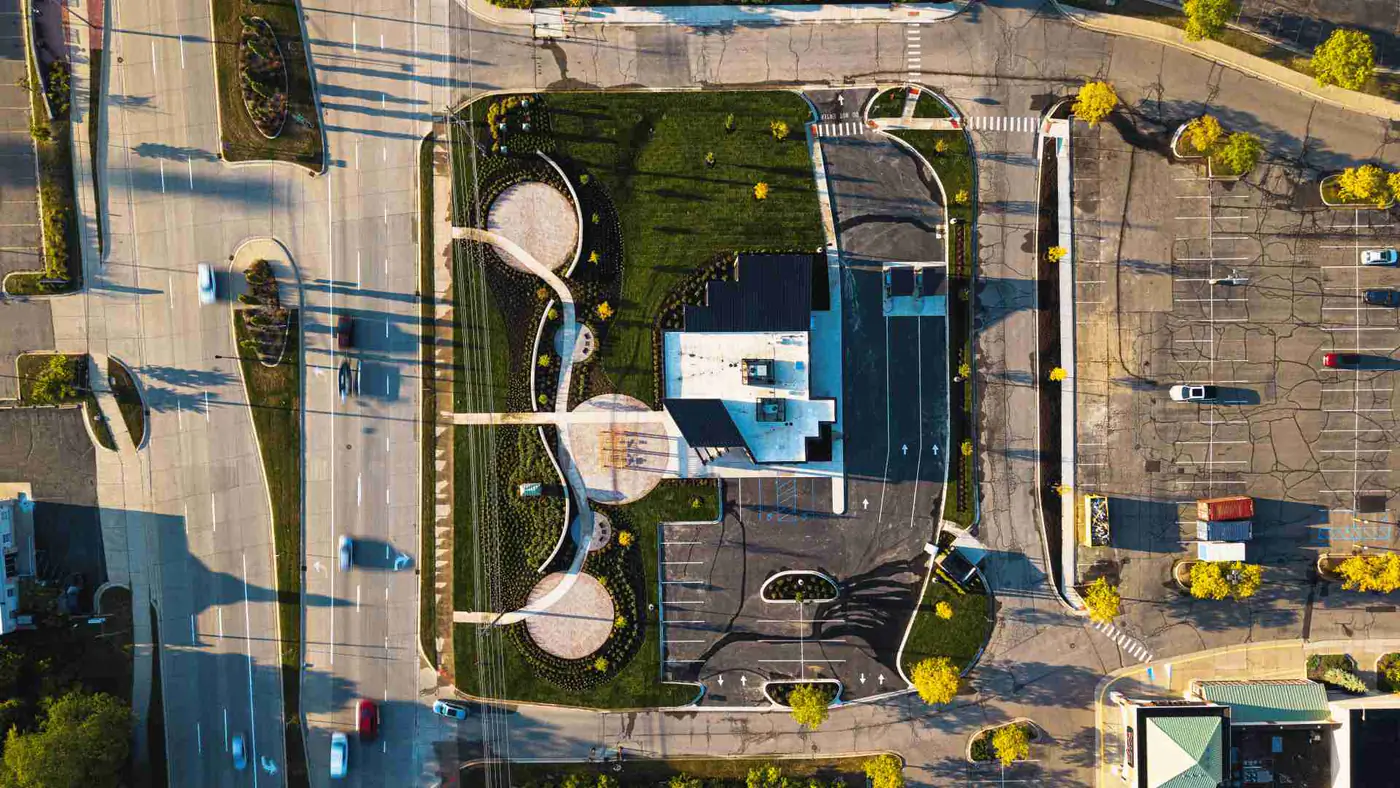
Drone visuals, when airspace, weather, safety, and site rules allow, help owners and executives understand the full site in a way ground photos cannot.
Aerial construction documentation can show:
- Straight-down site-plan-style views
- Oblique views from multiple sides
- Overall building footprint progress
- Roof progress
- Parking and paving progress
- Drainage and stormwater context
- Laydown areas and logistics
- Surrounding roadways and adjacent properties
- Progress across multiple buildings or phases
Drone coverage should never be forced.
If airspace, weather, access, safety rules, or site restrictions make aerial capture a poor fit, a strong documentation plan should still provide useful ground-level alternatives.
Sometimes the best shot on a construction site is the one you do not take because the conditions are wrong.
What milestone photos matter most?
Milestone photos are the backbone of construction milestone documentation. They help show meaningful progress before work changes, closes up, or disappears behind the next phase.
Depending on the project, milestones may include:
- Site clearing and mass grading
- Foundation excavation
- Footing and slab preparation
- Concrete pours
- Structural steel delivery and erection
- Topping out
- Roof dry-in
- Building enclosure
- Window and storefront installation
- MEP rough-in before concealment
- Insulation before drywall
- Drywall hanging and finishing
- First finished rooms or model areas
- Elevator, stair, and lobby progress
- Paving and striping
- Substantial completion
- Final completion visuals
A monthly plan should flex around milestone timing.
If steel erection happens the week of June 14, waiting until June 30 may miss the better record. Same with a concrete pour, roof dry-in, storefront installation, or first finished unit.
What interior progress should be captured?
Interior construction photo documentation needs more organization than exterior work.
Inside a building, 40 photos can become useless fast if nobody knows the building, floor, suite, corridor, or room.
A good interior plan usually organizes capture by:
- Building
- Floor
- Suite
- Corridor
- Room type
- Major system area
- Representative unit type, where relevant
For example, a multifamily project might track Level 02 corridors, model units, stair towers, amenity spaces, and back-of-house rooms. A medical office build-out might track exam rooms, corridors, reception, imaging areas, MEP rooms, and ceiling conditions before closure.
The goal is not to photograph every stud bay.
The goal is to show enough of the interior progress that a project executive, owner's rep, or remote stakeholder can understand what changed.
What exterior progress should be captured?
Exterior documentation should show the building and the site around it. Commercial teams often need both.
Useful exterior coverage may include:
- Major elevations
- Corners and transitions
- Storefront, curtain wall, or window progress
- Exterior sheathing and air barrier work where visible
- Masonry, metal panel, stucco, EIFS, precast, or tilt-wall progress
- Roofing edges, parapets, canopies, and overhangs
- Loading areas
- Service yards
- Sidewalks and ramps
- Parking lots and striping
- Landscaping and irrigation progress
- Site lighting
- Signage locations
Exterior progress photos are especially useful when a project needs owner update visuals, leasing materials, RFP content, or final portfolio assets later.
What details or conditions should be documented?
Monthly construction documentation is not a formal inspection, but it can record visible conditions at a point in time.
That may include a blocked access point, an exposed wall condition, a staged material area, a weather-exposed opening, a completed mockup, a damaged finish, or a condition the team has already asked to track.
The provider should not claim to verify code compliance, installation quality, or contract conformance unless retained and qualified for that scope.
Photos can show what was visible on March 22. They do not replace the architect's review, the inspector's authority, the owner's rep walk, or the GC's quality control process.
How should files be organized after the shoot?
A strong photo set can still fail if it lands as 300 unlabeled images in one folder.
A better monthly delivery is dated, grouped, and named so a project team can find what it needs without digging through text threads, email chains, or someone's camera roll.
A sample folder structure might look like this:
Sample folder structure:
2026-05-31 Monthly Documentation
  01 Exterior
  02 Drone
  03 Interior Level 01
  04 Interior Level 02
  05 MEP and Back-of-House
  06 Milestones
  07 Details and Conditions
  08 Selects for Owner Update
Sample file name:
2026-05-31_ProjectName_BldgA_Level02_Corridor_EastLookingWest_001.jpgFor Synced Frames, the goal is to deliver files in a structure that is easy to use quickly: dated folders, labeled sets, edited selects, and exports that can support decks, reports, owner updates, and future project records.
Typical delivery is 48 to 72 hours after each visit, depending on project scope and final deliverable needs.
Mid-article next step
Need structured documentation for an active project?
Set a recurring documentation cadence so progress visuals are ready before owner updates, OAC meetings, and stakeholder deadlines hit.
Who uses monthly construction documentation after delivery?
Monthly construction documentation does not belong to one person. That is why the files need to be clear enough for different users to understand later.
Typical users include:
- Developers
- Owners
- Owner's reps
- General contractors
- Project executives
- Superintendents
- Project managers
- Architects
- Engineers
- Lenders
- Investors
- Leasing teams
- Marketing teams
- Asset managers
- Facilities teams
- Future RFP and proposal teams
A superintendent may need a site logistics image from May 31. A marketing team may need a clean exterior progress image for a leasing update. A project executive may need 12 owner update visuals before a Friday call.
Same site. Different uses.
How can visuals support owner updates?
Owners usually do not need 300 unfiltered photos. They need a direct view of what changed and where the project stands.
A good owner update set may include:
- A wide exterior view
- One or two aerial views, where allowed
- Key milestone photos
- Interior progress by area or floor
- Site logistics context
- A short recap video, if included in scope
- Select images formatted for a deck or report
That kind of record helps the owner see progress without asking the project team to explain every image from scratch.
How can visuals support OAC meetings?
OAC meetings work better when teams can look at the same visual record instead of relying on memory.
Monthly construction documentation can support discussion around progress, open items, sequencing, site context, milestones, and areas that changed since the last meeting.
The most useful OAC meeting visuals are usually clear, dated, and tied to a location.
A photo labeled "Level 03 corridor, east looking west, May 31" does more work than a random image from a phone.
How can visuals support lender draw conversations without replacing formal inspections?
Lender draw conversations usually require formal documentation, pay applications, inspections, and review by the right parties. Monthly construction documentation should not be presented as a replacement for that process.
The line matters.
Photos can support communication and review, but they do not certify percentage complete, approve payment, verify code compliance, replace inspections, or replace formal draw review.
Where visuals help is context.
They can show visible progress tied to a date, such as exterior work, interior build-out, paving, roofing, or milestone completion.
How can visuals support RFPs, proposals, closeout, and portfolio use later?
The best construction documentation keeps working after the month is over.
A clean archive can support:
- RFP and proposal visuals
- Project closeout records
- Portfolio updates
- Case study development
- Leasing presentations
- Investor updates
- Future owner references
- Internal marketing material
This is where consistency pays off.
If a team has organized progress photos from foundation through final completion, the finished project has a better story and a better record.
RFP and Proposal Visuals Construction Closeout Documentation Case Studies
How is monthly construction documentation different from random jobsite photos?
Random jobsite photos are better than nothing. But they usually are not enough for commercial teams that need a dependable project record.
Random jobsite photos are often:
Comparison: Random Jobsite Photos vs. Monthly Documentation
| Random jobsite photos | Monthly documentation |
|---|---|
| Taken only when someone remembers | Planned |
| Focused on immediate issues | Repeatable |
| Stored in text threads or email | Organized |
| Unlabeled | Delivered for future use |
| Inconsistent in angle and quality | Built around what changed, when it changed, where it happened, and how stakeholders will use the record later |
| Hard to find later | Easier to find later |
| Missing entire areas of the project | Built around a repeatable coverage plan |
That is the difference between "I think someone has a photo of that" and "check the May 31 folder, Interior Level 02."
How often should projects be documented?
Some projects need one visit per month. Others may need two, three, or four visits per month when the site is moving quickly, stakeholders need frequent updates, or a major phase needs closer visual tracking.
A practical cadence depends on:
- Project size
- Phase of construction
- Site activity
- Reporting deadlines
- Owner or investor update needs
- Lender communication needs
- Drone feasibility
- Access rules
- Safety restrictions
- Milestone timing
A slow exterior phase may need less frequent coverage. A fast interior build-out across four floors may need more.
Wrong cadence creates gaps. Too much cadence creates noise. The right cadence gives the team enough record without burying them.
What should not be overpromised by a documentation provider?
A construction documentation provider should be honest about what photos can and cannot do.
Monthly documentation should not be sold as a way to:
- Replace inspections
- Certify work quality
- Verify code compliance
- Confirm percentage complete
- Resolve every dispute
- Catch every issue
- Replace daily reports
- Replace architect field reports
- Replace owner's rep site walks
- Replace pay application review
- Guarantee claim protection
Good documentation is useful because it is clear and organized.
It becomes risky when someone pretends it does the job of a licensed inspector, architect, engineer, lender, or contract administrator.
What should a project team look for in a documentation partner?
A project team should look for a partner who understands construction sites, not someone who only knows how to make pretty images.
Look for:
- Consistent recurring scheduling
- Ground coverage with drone capability where airspace, weather, and site rules allow
- Familiarity with active jobsites
- Clear communication with the GC or site contact
- Organized file delivery
- Repeatable shot routes
- Interior and exterior coverage
- Milestone flexibility
- Clean editing that keeps the project accurate and does not misrepresent site conditions
- Awareness of safety rules and site access limits
- Practical file naming and folder structure
- Ability to support owner updates, OAC meetings, closeout, and portfolio needs
The right partner should know when to capture a wide view, when to label a corridor, when to stay out of the way, and when site rules mean the drone stays packed.
What Synced Frames typically delivers
A monthly documentation plan can vary by project, but a typical Synced Frames coverage cycle may include recurring site visits, edited stills, ground and aerial coverage where appropriate, short video clips, dated folders, labeled sets, and exports prepared for decks, reports, and stakeholder updates.
Depending on the project scope, a visit may include 20 to 40 edited stills, a short recap video, organized delivery, and optional summary materials.
Some projects use one visit per month. Others may use up to four visits per month when the schedule, site activity, or stakeholder reporting needs call for it.
The exact scope depends on visit cadence, site size, drone feasibility, access rules, safety restrictions, and what the project team needs the documentation to support.
Why consistency matters more than one-off photo quality
One great image is useful for a deck. A reliable monthly record is useful for the project.
That is the bigger win.
Commercial construction teams do not need random hero shots from June 7 and nothing from July, August, or September. They need a visual record that keeps showing up, follows a plan, and stays organized enough for real use.
The win is not one perfect image.
The win is a reliable visual record commercial teams can actually use.
FAQ
Monthly construction documentation FAQ
What is monthly construction documentation?
Monthly construction documentation is a recurring visual record of a commercial project. It usually includes ground-level progress photos, drone visuals where allowed, milestone documentation, and organized delivery for stakeholder updates and future records.
How often should monthly construction documentation be captured?
Some projects need one visit per month. Others may need two, three, or four visits per month when the site is moving quickly, reporting deadlines are tight, or major milestones need closer visual tracking.
Does monthly documentation include drone photos?
It can. Drone or aerial coverage may be included where airspace, weather, safety, and site rules allow. If drone coverage is restricted, the documentation plan should still provide strong ground-level alternatives.
Can monthly documentation support lender draw conversations?
Yes, as communication support and visual context. It should not be presented as a replacement for pay applications, inspections, formal lender review, payment approval, or percentage-complete certification.
What does Synced Frames typically deliver after each visit?
Depending on scope, Synced Frames may deliver 20 to 40 edited stills, short video clips or a recap video, dated folders, labeled sets, and exports prepared for decks, reports, owner updates, and project archives.
Next step
Need a cleaner monthly visual record of your project?
Use recurring construction documentation to turn jobsite progress into organized, stakeholder-ready project proof.