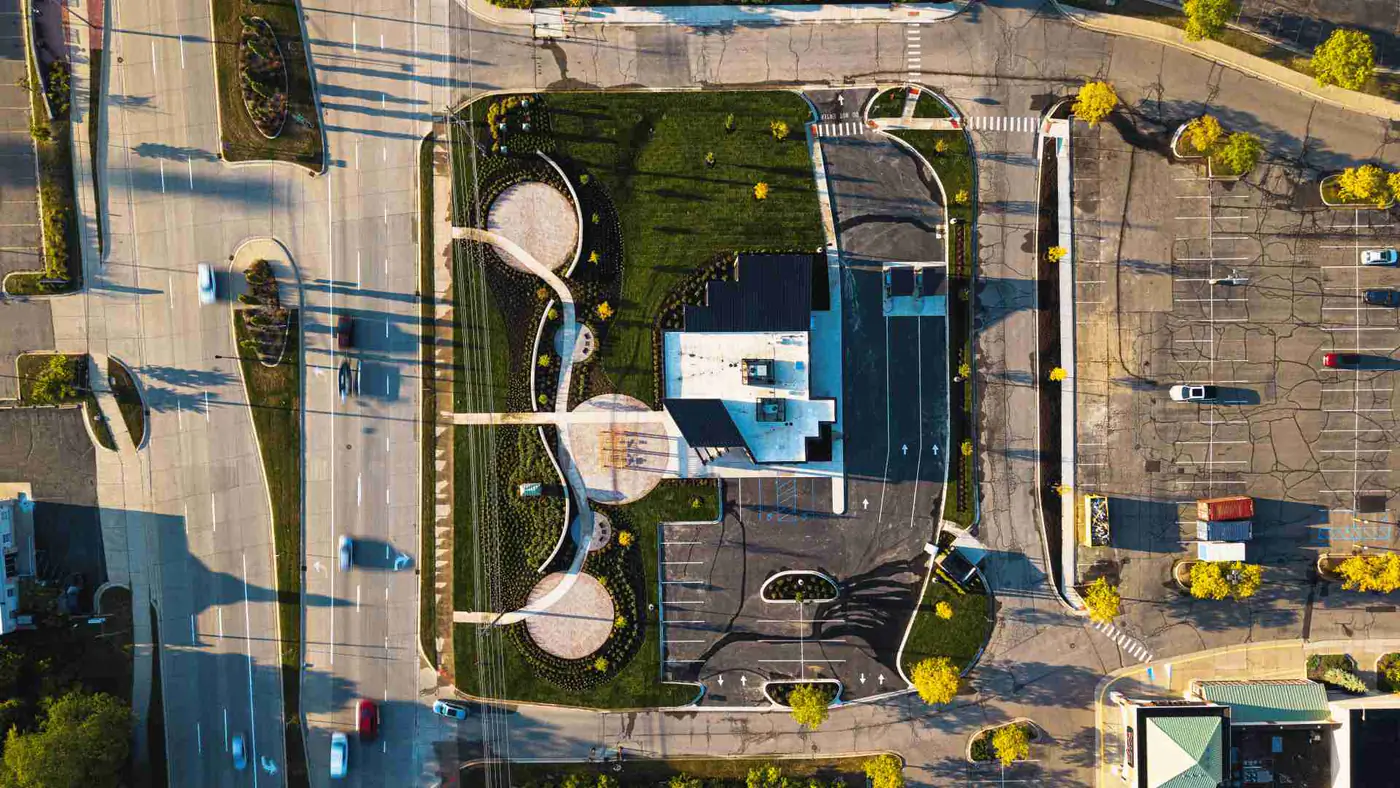
Construction Progress Photography vs Superintendent Phone Photos
Superintendent phone photos help the field team move. Structured construction progress photography creates a planned, repeatable, organized visual record that owners, executives, architects, and project teams can understand later.
Article intro
On a 220,000-square-foot commercial project in Dallas, a superintendent may take 47 phone photos before 9:30 a.m.
That is normal. It is also useful.
Those photos might show a cracked slab edge, a missing sleeve, a wet corridor on Level 3, or a delivery blocking the south gate. They help the field team move.
But construction progress photography serves a different job. It creates a planned, repeatable, organized visual record that owners, developers, architects, project executives, and marketing teams can understand later, even if they were not standing on site when the photo was taken.
That difference matters.
Superintendent phone photos are field communication. Structured progress photography is project memory.
Part 1
Phone photos and their limits
The short answer
Superintendent phone photos are not the enemy. On most commercial jobs, they are one of the fastest ways to answer a question at 6:42 a.m. without calling four people.
Professional construction progress photography fills the gap that phone photos were never meant to cover.
It gives the project team:
Why superintendent phone photos exist
Superintendent phone photos exist because jobsites move fast.
A superintendent walking Building B at 7:15 a.m. may need to show the plumbing foreman a sleeve conflict, ask the PM about a storefront detail, document a damaged door frame, or send the owner's rep a quick look at the lobby mockup.
That is what phone photos are good at.
They are fast. They are close to the issue. They happen in the moment. No one needs a calendar invite, a tripod, or a folder structure to photograph a missing embed at Gridline C.4.
And nobody should slow that down.
A superintendent's phone is often the quickest visual tool on the jobsite. It helps people make decisions while concrete trucks are queued on Commerce Street, the drywall crew is waiting on layout, and the OAC meeting starts at 10:00 a.m.
What phone photos are good for on a jobsite
Phone photos are excellent for short-term field use.
They help with:
- Quick issue tracking, such as a damaged frame in Room 214
- Trade coordination, such as ductwork hitting a beam pocket
- Same-day clarification between the superintendent, PM, architect, and subcontractor
- Punch items, warranty notes, and small repair documentation
- Safety observations, such as a missing guardrail at Stair 2
- Delivery confirmation, such as 18 pallets arriving at the north gate
- Informal updates when an owner asks, "Can you send me a photo?"
Phone photos are also useful because they are personal to the person solving the problem. A superintendent knows exactly why they took a photo at 2:18 p.m. on a rainy Thursday.
The trouble starts when everyone else needs to know that reason three months later.
Where phone photos start to break down
Phone photos start to break down when the audience changes.
A photo that made perfect sense to the superintendent on April 11 may be nearly useless to a project executive, developer, lender, architect, or marketing director in September.
The image may be too tight. It may not show location. It may not show sequence. It may not show what happened before or after. It may live inside a text thread with 19 other messages about steel delivery and a coffee order from Starbucks.
That does not mean the photo was bad.
It means the photo did its first job and was never set up for the second one.
Phone photos often struggle when the team needs to answer questions like:
That is where casual photos get thin.
Why phone photos are hard to use later
Phone photos are hard to use later because they usually lack a system.
The photo may be on an iPhone, inside a superintendent's camera roll, in a text thread, attached to a Procore observation, posted in Microsoft Teams, saved to SharePoint, or buried in an iCloud album called "Job Pics 2025."
Good luck finding it at 4:52 p.m. the day before an owner presentation.
Most phone photos are taken for immediate use, not long-term retrieval. That means they often lack:
The result is not one bad decision. It is 600 small decisions made by nine people over 14 months.
What happens when photos are scattered
Scattered photos create friction.
A project manager might have one set in Procore. The superintendent might have 2,300 images on his phone. The assistant PM might have a SharePoint folder. The marketing team might have 12 edited images from the groundbreaking. The owner's rep may have screenshots in a text chain from February 6.
Everyone technically "has photos."
But the team does not have a usable visual record.
When photos are scattered across phones, texts, Procore, folders, SharePoint, and iCloud, several things happen:
This is the quiet cost. Not dramatic. Just expensive in hours, missed proof, and avoidable confusion.
Part 2
What construction progress photography is
What is construction progress photography?
Construction progress photography is recurring, structured visual documentation of a project over time.
It is planned before the photographer arrives. It follows a repeatable route. It captures agreed-upon locations, milestone moments, overall site context, exterior progress, interior progress, logistics, and key details.
For a 14-month commercial build, that may mean monthly site walks, milestone visits, drone flights, same-angle views, and organized delivery after each visit.
Synced Frames provides this kind of documentation for commercial projects: structured progress photography, drone context, milestone documentation, and organized visual records that project teams can use during construction and long after turnover.
How structured progress photography differs from casual jobsite photos
Casual photos answer, "What do I need to show someone right now?"
Structured progress photography answers, "What record will this project need later?"
That shift changes everything.
Casual jobsite photos usually focus on the issue
A superintendent might photograph a cracked tile, an open wall, a missed blocking detail, or a delivery label on 120 sheets of Type X drywall.
That is useful field evidence.
Structured documentation focuses on the project record
A professional documentation visit may capture the north elevation, the crane pick area, the lobby from the same corner each month, the Level 4 corridor before MEP rough-in, the garage deck pour, and drone views showing site access from I-35.
That is useful project proof.
Both have value. They are built for different jobs.
Phone photos vs. construction progress photography
Main purpose
Phone: Fast field communication
Structured: Repeatable project documentation
Typical timing
Phone: As-needed, same day
Structured: Recurring visits, milestones, and scheduled captures
Best use
Phone: Issues, clarifications, punch, trade coordination
Structured: Owner updates, OAC meetings, archives, closeout, RFPs
Viewpoint
Phone: Close to the issue
Structured: Wide context plus details
Consistency
Phone: Depends on who takes the photo
Structured: Same angles, planned route, repeatable coverage
Organization
Phone: Often scattered across apps and devices
Structured: Delivered by date, area, phase, and milestone
Image quality
Phone: Varies by phone, light, framing, and conditions
Structured: Shot for clarity, presentation, and long-term use
Drone context
Phone: Usually absent
Structured: Adds site scale, logistics, exterior progress, and access views
Audience
Phone: Field team and PM team
Structured: Owners, executives, architects, lenders, BD teams, closeout teams
Long-term value
Phone: Helpful if found and understood
Structured: Built to be found, understood, and reused
| Category | Superintendent phone photos | Structured construction progress photography |
|---|---|---|
| Main purpose | Fast field communication | Repeatable project documentation |
| Typical timing | As-needed, same day | Recurring visits, milestones, and scheduled captures |
| Best use | Issues, clarifications, punch, trade coordination | Owner updates, OAC meetings, archives, closeout, RFPs |
| Viewpoint | Close to the issue | Wide context plus details |
| Consistency | Depends on who takes the photo | Same angles, planned route, repeatable coverage |
| Organization | Often scattered across apps and devices | Delivered by date, area, phase, and milestone |
| Image quality | Varies by phone, light, framing, and conditions | Shot for clarity, presentation, and long-term use |
| Drone context | Usually absent | Adds site scale, logistics, exterior progress, and access views |
| Audience | Field team and PM team | Owners, executives, architects, lenders, BD teams, closeout teams |
| Long-term value | Helpful if found and understood | Built to be found, understood, and reused |
Mid-article next step
Need recurring documentation on your active project?
Set a recurring documentation cadence so owner updates, OAC conversations, and archive needs are covered before deadline pressure hits.
Part 3
How teams use structured visuals
Why consistent angles matter
Consistent angles make progress visible.
A single lobby photo from March 3 tells you something. The same lobby angle from March 3, April 7, May 5, and June 2 tells you much more.
That set shows sequence.
It shows framing, rough-in, drywall, finishes, lighting, millwork, and final punch. It lets an owner see that work moved, even if the weekly written report said the same four phrases for a month.
Consistent angles help teams compare:
Without consistent angles, the archive becomes a pile of images. With consistent angles, it becomes a timeline.
Why organized delivery matters
A good photo is less valuable when no one can find it.
Organized delivery turns images into a working record. For a 300,000-square-foot warehouse in Fort Worth, that may mean folders by visit date, drone vs. ground, exterior vs. interior, Building A vs. Building B, and milestone labels like "tilt-wall panels," "roof dry-in," or "substantial completion."
That structure helps different teams use the same documentation.
The owner's rep can pull photos for a monthly update. The project executive can use them in a board report. The architect can reference a condition from eight weeks ago. The marketing team can find clean images for a future proposal.
No one has to beg five people for "that one photo from when the glass was going in."
Why image quality matters for stakeholder communication
Image quality affects trust.
A blurry, dark, crooked photo may be enough to show a missing pipe label to a foreman. It may not be enough for a lender update, executive summary, board packet, or public-facing project story.
Stakeholders often do not read drawings the way field teams do. They rely on visual cues.
A clean wide photo of a Level 1 lobby can show progress in three seconds. A dark close-up of drywall corner bead cannot.
Professional construction progress photography is not about making the jobsite look fake or overly polished. It is about making the work clear. Good exposure, clean framing, sharp focus, and useful composition help non-field stakeholders understand what they are seeing.
That matters when a $48 million project needs confidence from people who only visit the site once per quarter.
Why context matters, not only close-up proof
Close-up proof has a place.
A photo of a cracked panel, missing blocking, or water intrusion point may need to be tight. The person receiving it needs to see the detail.
But close-ups often fail as project documentation because they leave out the surrounding context.
Where is this? What floor? Which elevation? How does it relate to adjacent work? Is this one isolated condition or part of a larger pattern?
Structured documentation captures both:
That context makes the photo easier to understand later, especially for owners, architects, insurers, executives, and other stakeholders who were not there at 11:08 a.m. when the picture was taken.
How drone context changes the value of progress documentation
Drone context adds what ground photos cannot.
A drone image can show the full site, not only the workface. On a large commercial or industrial site, drone documentation can show laydown areas, truck circulation, roof progress, paving, detention ponds, neighboring constraints, and how the building sits inside the larger site.
That matters for:
Drone photography does not replace ground documentation. It completes the view.
A ground photo may show the loading dock doors. A drone photo shows all 26 dock positions, the paving progress, the trailer staging, and how much site work remains before turnover.
How professional documentation supports owner updates
Owners want clarity.
They may not need 180 photos after every visit. They may need 12 strong images that show what changed, where the project stands, and what milestones were hit since the last update.
Recurring progress documentation helps owner updates by giving teams:
For a monthly owner update on May 31, that can mean showing the west elevation, main lobby, Level 2 corridor, roof work, site paving, and drone overview in one clear sequence.
No scrambling. No random screenshots.
How it supports OAC meetings
OAC meetings need shared understanding.
Owners, architects, and contractors often discuss schedule, changes, constraints, design questions, and progress in the same 60-minute meeting. Photos help keep that conversation grounded.
Structured documentation can support OAC meetings by showing:
A superintendent's phone photo may still be the best image for a specific issue. But recurring documentation gives the meeting a cleaner visual baseline.
It reduces the "wait, where is that?" problem.
How it supports RFPs, proposals, portfolios, and closeout later
This is where many teams feel the pain.
A project ends in November 2026. Six months later, the business development team needs proposal images for a similar $72 million student housing project. They ask the operations team for photos.
Now everyone hunts.
The PM has some. The superintendent retired. The marketing team has ribbon-cutting photos but nothing from mid-construction. The owner's rep has a few screenshots. SharePoint has 11 folders with unclear names.
Structured documentation prevents that mess.
It gives business development and marketing teams a better archive for:
A strong project record can keep working for years. A buried phone photo usually cannot.
RFP and Proposal Visuals Construction Closeout Documentation Case Studies
Part 4
When to use a professional documentation partner
When superintendent phone photos are enough
Superintendent phone photos are enough when the need is immediate, narrow, and field-specific.
Use phone photos for:
If the photo only needs to answer one question for two or three people today, a phone photo is probably fine.
No need to overbuild the process.
When to use a professional documentation partner
Use a professional documentation partner when the photos need to serve more than the immediate field team.
That usually applies when:
A $3 million interior renovation may need light documentation. A $95 million mixed-use development across two city blocks probably needs a real system.
How both systems can work together
The best setup is not either-or.
It is both.
Superintendents keep taking phone photos for field communication. That should not stop. Those images are part of how work gets done.
A professional documentation partner adds a planned layer over that day-to-day activity.
A simple split works well:
Superintendent phone photos are best for:
- Issues
- Details
- Punch
- Trade questions
- Quick proof
- Same-day decisions
Structured progress photography is best for:
- Owner updates
- OAC visuals
- Milestones
- Drone context
- Monthly archives
- Executive communication
- RFPs and proposals
- Closeout and long-term proof
The superintendent does not need to become the historian, photographer, archivist, and marketing asset manager on top of running the job.
That is asking too much from one person at 6:30 a.m. with concrete on the way.
What a recurring documentation system should include
A good recurring documentation system should be simple enough to use and structured enough to trust.
For a commercial project, it should include:
The system should not create extra work for the field team. That is the point.
Monthly Coverage Monthly Construction Documentation Service Milestone Coverage
What is the real business risk of relying only on scattered internal photos?
The real risk is not that the team has no photos.
The risk is that the team has thousands of photos but no usable record.
That creates problems later:
That last one hurts.
Commercial construction is full of work that deserves to be seen clearly: a 5:00 a.m. slab pour, a 40-ton steel pick, a lobby coming together after nine months of coordination, or a roof finally dried in before a storm front moves through Houston.
Phone photos help the job move today.
Structured construction progress photography helps the project stay useful tomorrow, next quarter, and five years from now when the next owner asks, "Have you built something like this before?"
Final takeaway
Superintendent phone photos are useful. Keep them.
They are fast, practical, and close to the work. They help teams solve the problem in front of them.
But they are not a documentation system.
For commercial developers, general contractors, owners, architects, and project executives, construction progress photography creates the visual record that scattered internal photos rarely produce on their own: consistent, organized, stakeholder-ready proof of how the project moved from dirt to turnover.
That is the difference.
When a project needs recurring progress photos, drone context, milestone coverage, and an organized archive that owners and project teams can actually use, Synced Frames builds the documentation system around the way the job already moves.
Part 5
FAQ and next steps
FAQ
Progress photography FAQ
Are superintendent phone photos still useful?
Yes. They are one of the fastest field communication tools on the jobsite for same-day trade coordination, issue clarification, and quick decisions.
What is construction progress photography?
Construction progress photography is recurring, structured visual documentation captured over time to create a usable project record beyond immediate field questions. It is planned, repeatable, and organized for stakeholder communication.
How is construction progress photography different from superintendent phone photos?
Phone photos are usually issue-first and immediate. Structured progress photography is planned, repeatable, organized by date and area, and built for owner updates, OAC meetings, RFPs, closeout, and long-term reuse.
Can structured progress photography support owner updates, OAC meetings, proposals, and closeout?
Yes. Structured documentation supports those workflows as communication and project record support, not as a replacement for inspections, formal reports, or project controls.
When should a project team hire a professional documentation partner?
When the project has owner, investor, lender, or public visibility; when the schedule runs six months or longer; when the site is large or complex; or when the team needs recurring updates, milestone documentation, or a clean archive for future pursuits.
Related
Related resources
Monthly Coverage
Recurring documentation options by cadence and reporting needs.
Monthly Construction Documentation Service
Service framework for recurring project documentation.
Owner Updates
Use-case details for owner-facing progress communication.
OAC Meeting Visuals
Use-case guidance for meeting-ready visual baselines.
RFP and Proposal Visuals
Use-case guidance for pursuit and proposal assets.
Construction Closeout Documentation
Use-case guidance for completion and archive workflows.
Case Studies
Project proof pages and documented workflow examples.
Contact
Talk with Synced Frames about recurring commercial documentation support.
Next step
Need a cleaner visual record than scattered jobsite photos?
Use structured construction progress photography to turn jobsite progress into organized, stakeholder-ready project proof.