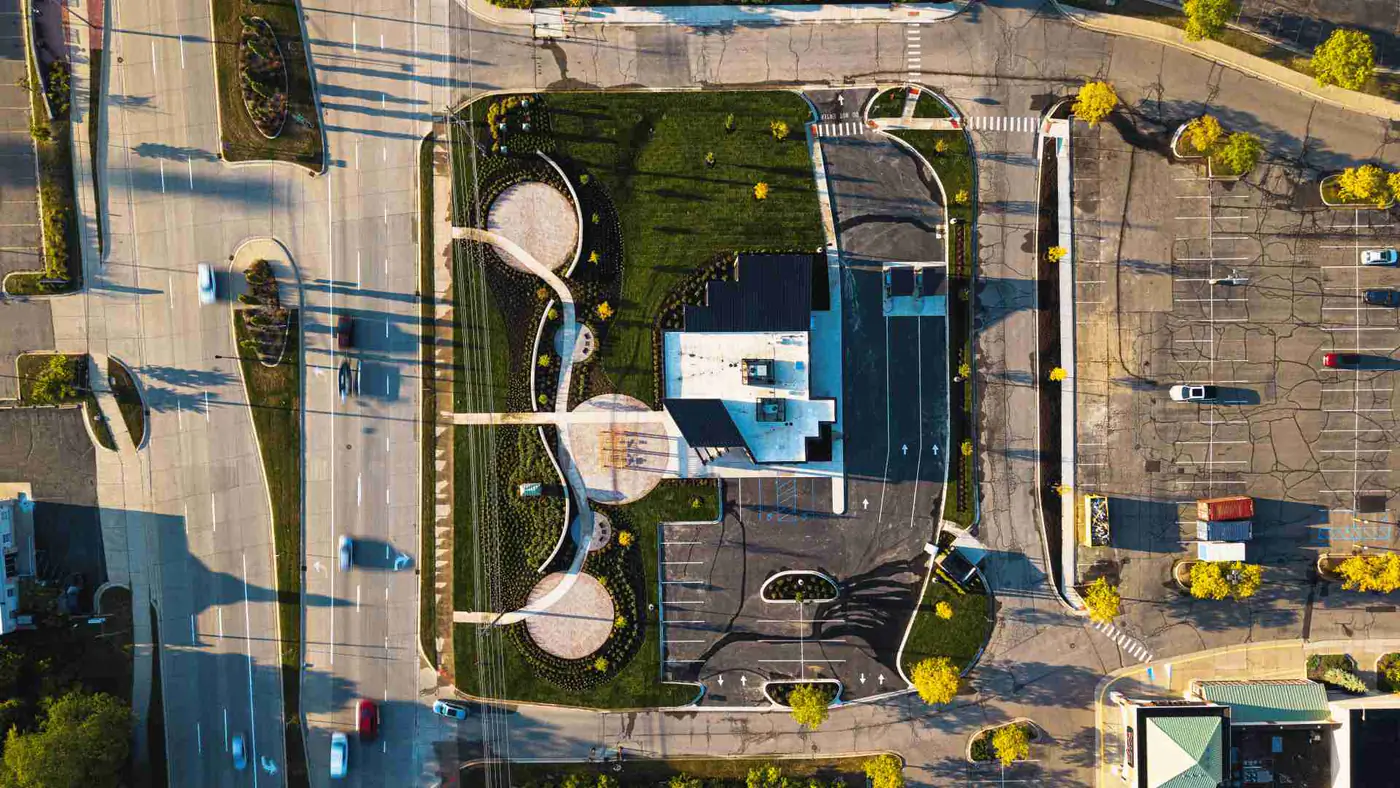
What Is Construction Progress Photography?
Construction progress photography is a structured visual record of how a commercial project changes over time — planned, repeatable, and organized for the people who need to understand the project without walking the site every week.
In this guide
Jump to
Introduction
Construction progress photography is a structured visual record of how a commercial project changes over time.
On a 120,000-square-foot warehouse, a 6-story multifamily build, or a 38,000-square-foot medical office project, the site can look completely different in 30 days. Steel goes up. Roof areas close in. Interior framing disappears behind drywall. Exterior finishes start to define the building.
That is where construction progress photography earns its keep.
It gives developers, owners, general contractors, architects, owner's reps, project executives, and business development teams a clear record of what happened, when it happened, and what the project looked like at each stage.
The goal is not to make the jobsite look prettier than it is. The goal is to make progress easier to see, explain, archive, and reuse.
Synced Frames supports commercial project teams through recurring ground coverage, drone documentation where feasible, milestone capture, completion visuals, and organized project archives.
What Is Construction Progress Photography?
Construction progress photography is planned photo documentation of a project during active construction.
It captures the site at specific intervals so the project team has a visual record of progress across weeks, months, and major milestones.
A good progress photo set may include:
- Ground-level site views
- Exterior elevations
- Interior progress
- Milestone photos
- Detail and condition photos
- Drone documentation where feasible
- Completion visuals
- Organized folders and labeled files
The key word is planned.
Construction progress photography is not a random batch of jobsite images. It is a repeatable record that helps the project team communicate with people who may not be walking the site every Tuesday morning.
How Is Construction Progress Photography Different From Random Jobsite Photos?
Random jobsite photos are useful. They are often taken to answer a specific question fast.
A superintendent may take a photo of a door frame at 7:12 a.m. and text it to the PM. An architect may take 15 photos during a field visit. A project engineer may upload 80 images to Procore after walking Level 03.
That is all normal.
But construction progress photography has a different role. It is built for project communication and long-term use.
Comparison: Random Jobsite Photos vs. Construction Progress Photography
| Random Jobsite Photos | Construction Progress Photography |
|---|---|
| Taken as needed | Captured on a planned schedule |
| Often stored in phones, texts, or apps | Delivered in organized folders |
| Focused on immediate issues | Focused on project-wide progress |
| Inconsistent angles | Repeatable views over time |
| Hard to reuse later | Useful for owner updates, OAC meetings, closeout, and RFPs |
| Often unlabeled | Dated and labeled by area |
| Helpful in the moment | Helpful during and after the project |
The superintendent's phone is useful. It is not the project archive.
Mid-article next step
Need structured documentation for an active project?
Who Uses Construction Progress Photography?
Construction progress photography is used by more than one person on the job.
A single May 2026 documentation set might help the owner understand current progress, help the GC prepare for an OAC meeting, help the architect review visible conditions, and help the marketing team save images for a future project profile.
Common users include:
- Commercial developers
- Property owners
- Owner's reps
- General contractors
- Project executives
- Project managers
- Superintendents
- Architects
- Engineers
- Investors
- Lenders
- Leasing teams
- Marketing and business development teams
- Facilities teams
- Future pursuit teams
Same photos. Different jobs.
That is why the files need to be clear, dated, and organized.
Why Commercial Developers and Owners Need It
Developers and owners need construction progress photography because they are often responsible for communicating progress to people who are not on site.
That may include investors, internal leadership, board members, lenders, tenants, brokers, facilities staff, or community stakeholders.
Progress photos can support:
- Owner updates
- Investor communication
- Board reporting
- Draw-cycle conversations
- Tenant updates
- Leasing discussions
- Executive briefings
- Long-term project records
The owner may not need 300 images from every visit. They may need 12 clear visuals showing what changed since last month.
A clean set of photos from Building A, the main entry, Level 02 interiors, and the south parking area can make an update easier to understand in 3 minutes.
Why General Contractors Need It
General contractors need progress photos because they are constantly explaining the job.
They explain it to owners. They explain it to architects. They explain it to executives, trade partners, and sometimes people who joined the project halfway through.
Construction progress photography can help GCs:
- Prepare for OAC meetings
- Show visible progress
- Support project executive updates
- Document milestones
- Track broad site changes
- Communicate across multiple buildings or phases
- Build closeout records
- Save proposal images for future pursuits
This does not replace daily reports, schedules, meeting minutes, inspections, or pay applications.
It gives the GC better visual material to support those conversations.
Why Architects and Owner's Reps Care About It
Architects and owner's reps care because progress photos help them understand what is visible in the field between site walks.
An architect may want to see exterior envelope progress, interior framing, mockups, finish areas, or locations ready for review. An owner's rep may need to brief an owner before a Thursday meeting without walking the site again.
Progress photography can help show:
- Current field conditions
- Areas ready for architect review
- Visible design progress
- Mockup status
- Interior finish progress
- Exterior façade progress
- Areas that need a follow-up walk
- Milestones before work is covered
The photo does not make the professional judgment. It gives the team a clearer view of what is there.
What Should Construction Progress Photography Capture?
Construction progress photography should capture the project in a way that is useful to the team now and later.
That means covering the site from broad context down to specific progress areas.
A strong progress set may include:
- Overall site views
- Main access points
- Exterior elevations
- Interior work areas
- Milestones
- Site logistics
- Parking and paving
- Roof progress, where safely visible
- MEP progress, where visible
- Areas ready for review
- Detail and condition photos
- Completion visuals as the project nears turnover
The exact shot list depends on the project type, access rules, safety conditions, phase of work, and what the team needs the documentation to support.
A 4-story office build-out needs a different route than a 22-acre industrial site.
What Site Context Should Be Documented?
Site context helps stakeholders understand the whole project, not only isolated work areas.
This matters on larger sites, phased developments, and projects where access, logistics, or surrounding roads affect the work.
Site context photos may include:
- Project frontage
- Site entrances and exits
- Construction access points
- Laydown areas
- Temporary fencing and gates
- Adjacent roads
- Parking and paving areas
- Stormwater areas
- Utility corridors, where visible
- Equipment locations
- Building orientation
- Phase boundaries
- Neighboring properties, when relevant
A project executive who has not visited the site since March can understand the May update faster when the photo set starts with context.
What Exterior Progress Should Be Captured?
Exterior progress is often what owners, tenants, leasing teams, and executives notice first.
It also matters to architects and contractors because exterior work ties into enclosure, sequencing, waterproofing, access, and final presentation.
Exterior progress photos should capture:
- Main public-facing elevations
- Side and rear elevations
- Building corners
- Storefront and glazing progress
- Curtain wall or window installation
- Masonry, metal panel, precast, tilt-wall, EIFS, or stucco progress
- Canopies and entry features
- Roof edges and parapets, where visible
- Loading docks
- Service yards
- Sidewalks and accessible routes
- Parking lots and striping
- Site lighting
- Landscaping and irrigation progress
- Signage areas
For a retail center near I-35 or a medical office building on a busy frontage road, exterior visuals may also support leasing, stakeholder updates, and portfolio material later.
What Interior Progress Should Be Captured?
Interior progress is where many important changes happen quickly.
Framing, rough-in, insulation, drywall, ceilings, finishes, fixtures, and punch work can move fast, especially during the final 90 days of a commercial build-out.
Interior progress photos should capture:
- Lobbies
- Corridors
- Stairs
- Elevators and elevator lobbies
- Restrooms
- Tenant spaces
- Amenity areas
- Offices
- Exam rooms, classrooms, or unit types, depending on the project
- Mechanical rooms
- Electrical rooms
- IT and low-voltage rooms
- Ceiling grid progress
- Drywall progress
- Flooring installation
- Millwork and finish areas
- Areas ready for review or punch
Interior photos should be organized by building, floor, suite, or area.
A folder called "Interior" with 240 mixed images is not much help when the owner asks for Level 03 progress before a 2:00 p.m. meeting.
What Milestone Photos Matter Most?
Milestone photos matter because some construction moments disappear quickly.
Once concrete is poured, drywall is hung, or ceilings are closed, the visible record changes.
Important milestone photos may include:
- Site clearing
- Grading
- Foundation work
- Footing preparation
- Slab preparation
- Concrete pours
- Steel delivery and erection
- Topping out
- Roof dry-in
- Exterior enclosure
- Storefront or glazing installation
- MEP rough-in before concealment
- Insulation before drywall
- Drywall start and finish
- First finished room
- Equipment installation
- Paving and striping
- Substantial completion
- Final completion visuals
Some milestones may need separate coverage outside the normal monthly schedule.
A 5:30 a.m. slab pour or a Friday topping-out event may not wait for the next scheduled visit.
Why Consistent Angles Matter
Consistent angles make progress easier to compare.
If the west elevation is photographed from a different position every month, the team has to work harder to understand what changed. If the same view is captured in February, March, April, and May, the progress is obvious.
Consistent angles help show:
- Month-to-month changes
- Exterior enclosure progress
- Interior build-out progress
- Sitework development
- Areas moving slower than expected
- Milestones reached since the last visit
- Final transformation from early construction to completion
A random photo shows a condition. A repeatable photo sequence shows the story of the build.
Same corner. Same direction. Different month. That is where progress becomes clear.
Why Organized Delivery Matters
Good photos lose value when nobody can find them.
Organized delivery turns construction progress photography from a pile of images into a usable project record.
A practical delivery structure may include:
- Date-based folders
- Building or phase folders
- Exterior folders
- Interior folders by level or area
- Drone folders, where feasible
- Milestone folders
- Owner update selects
- Closeout or portfolio selects
- Clear file names
- Edited exports sized for practical use
Example folder structure:
2026-05-31 Progress Documentation
01 Site Context
02 Exterior Progress
03 Interior Level 01
04 Interior Level 02
05 Milestones
06 Drone Context, where feasible
07 Owner Update Selects
Example file name:
2026-05-31_BuildingA_Level02_Corridor_EastLookingWest_001.jpgThat kind of structure helps a PM, owner's rep, or marketing manager find the right image 11 months later.
How Often Should Construction Progress Photos Be Taken?
The right cadence depends on the project.
Some commercial projects are fine with one visit per month. Others need 2, 3, or 4 visits per month during active phases. A fast tenant build-out may need more frequent coverage than a slower sitework phase.
Common schedules include:
- Monthly progress documentation
- Twice-monthly documentation
- Weekly coverage during high-activity phases
- Milestone-specific visits
- Final completion documentation
- Extra visits before concealment or turnover
The cadence should match the pace of work and the communication needs of the team.
Do not document based on a calendar alone. Document based on what is changing.
When Is Monthly Coverage Enough?
Monthly coverage is often enough when the project pace is steady and the main goal is recurring stakeholder visibility.
Monthly construction progress photography may be enough for:
- Standard commercial ground-up projects
- Long-duration developments
- Projects with stable reporting cycles
- Owner updates every 30 days
- Routine OAC meeting support
- Portfolio and archive building
- General progress visibility
For a 14-month commercial project, monthly coverage can create a useful visual timeline from sitework to completion.
The team gets a reliable record without flooding everyone with more images than they can use.
When Does a Project Need Multiple Visits Per Month?
A project may need multiple visits per month when visible progress is moving faster than a monthly schedule can capture.
This is common during:
- Structural steel erection
- Exterior enclosure
- Roofing
- MEP rough-in
- Drywall and interiors
- Finish installation
- Tenant turnover
- Public-facing milestones
- Owner review periods
- Major weather recovery
- Phased openings
- Final 60 to 90 days before substantial completion
Multiple visits can also help when the owner, project executive, or investor group needs more frequent visibility.
For example, a 9-month tenant improvement on Level 12 may change more in 10 days than a large sitework package changes in 30.
How Drone Documentation Fits Into Progress Photography, Where Feasible
Drone documentation can add valuable context to construction progress photography, especially on larger sites.
But drone coverage must always be qualified. It depends on airspace, weather, site rules, safety conditions, and project access.
Where feasible and allowed, drone documentation can show:
- Overall site progress
- Building footprint and orientation
- Roof progress
- Paving and parking areas
- Site logistics
- Stormwater areas
- Multiple buildings or phases
- Surrounding roads and access points
- Public-facing context
Drone visuals are useful because they show relationships that ground photos cannot capture easily.
Still, drone footage should not be forced. If the site is restricted, ground-level documentation should carry the record.
How Progress Photos Support Owner Updates
Owner updates work better when the visuals are clear, current, and organized.
A developer or owner may not want every image from the documentation set. They may want a tighter group of selects that show visible progress and explain what changed.
Progress photos can support owner updates by showing:
- Current site status
- Major work completed since the last update
- Exterior progress
- Interior progress
- Milestones
- Areas ready for review
- Public-facing progress
- Final appearance taking shape
A good owner update might include 10 to 20 selected images from a larger project archive.
The full archive remains available. The update uses the clearest material.
How Progress Photos Support OAC Meetings
OAC meetings need clear context.
Construction progress photos help owners, architects, contractors, and owner's reps discuss the same site conditions without relying only on written notes or memory.
Progress photos can support OAC meetings by showing:
- Current site overviews
- Same-angle comparisons
- Exterior progress
- Interior progress
- Milestone completion
- Areas ready for architect review
- Areas ready for owner review
- Conditions that need follow-up
- Work completed since the prior meeting
The photos do not replace meeting minutes, schedules, architect field reports, or formal project controls.
They make the discussion easier to follow.
How Progress Photos Support RFPs, Proposals, Closeout, and Portfolio Use Later
Construction progress photography often becomes more useful after the project is done.
A project team may use the same archive months or years later for business development, closeout, facility planning, or portfolio material.
Progress photos can support:
- RFP responses
- Proposal narratives
- Shortlist interviews
- Case studies
- Developer portfolios
- GC project pages
- Architect project summaries
- Leasing updates
- Tenant communication
- Closeout documentation
- Facilities handoff
- Future renovation planning
- Internal training
A final beauty shot shows the finished building.
A progress archive shows how the team got there.
For a GC pursuing another 200,000-square-foot industrial project, construction progress photos of sitework, slab, steel, enclosure, and completion may be more useful than one polished exterior image.
What Should a Good Construction Documentation Package Include?
A good construction documentation package should be useful during the project and after it.
It should not be a folder dump.
A practical package may include:
- Recurring ground coverage
- Exterior progress photos
- Interior progress photos
- Site context photos
- Milestone documentation
- Detail and condition photos
- Drone documentation where feasible and allowed
- Short video clips or recap material, when scoped
- Completion visuals
- Dated folders
- Labeled file names
- Edited selects
- Owner update exports
- Organized archive delivery
The best package is easy to use at 8:00 a.m. before an owner call.
That is the test.
What Should Not Be Overpromised by a Documentation Provider?
A construction documentation provider should be clear about what progress photos can and cannot do.
Progress photos can support communication, records, stakeholder updates, and future project use.
They should not be described as replacing formal project controls.
A provider should not claim photos:
- Replace inspections
- Replace daily reports
- Replace meeting minutes
- Replace schedules
- Replace architect field reports
- Replace pay applications
- Replace owner's rep walks
- Replace lender or inspection processes
- Certify work quality
- Verify code compliance
- Confirm percentage complete
- Approve payment
- Catch every issue
- Resolve every dispute
The cleanest way to say it: photos support the record. They are not the record by themselves.
What Should Project Teams Look for in a Documentation Partner?
Project teams should look for a documentation partner who understands construction use cases, not only photography.
A good partner should understand that these images may be used in a Monday owner update, a Wednesday OAC meeting, a closeout archive, and a 2027 proposal.
Look for:
- Experience around active jobsites
- Recurring coverage capability
- Clear communication with the site contact
- Ground coverage as the baseline
- Drone capability where feasible and allowed
- Milestone flexibility
- Consistent angles
- Interior and exterior coverage
- Organized delivery
- Labeled file names
- Clean editing that does not misrepresent site conditions
- Respect for safety rules and site access limits
- Awareness of owner, GC, architect, and marketing needs
The photographer should not slow down the job, overstep the field team, or pretend to be an inspector.
They should help the project team see, explain, and preserve the work.
How Synced Frames Fits Into Construction Progress Photography
Synced Frames provides structured construction documentation for commercial projects.
That includes recurring ground coverage, drone documentation where feasible, milestone capture, completion visuals, and organized project archives.
For commercial developers, owners, GCs, architects, owner's reps, project executives, and marketing teams, Synced Frames helps create visual records that can support:
- Owner updates
- OAC meetings
- Milestone visibility
- Stakeholder communication
- RFPs and proposals
- Closeout records
- Portfolio use
- Long-term project archives
The fit is practical.
Synced Frames is not there to replace inspections, field reports, schedules, meeting minutes, or project controls. It is there to help commercial teams document visible progress in a clear, repeatable, organized way.
FAQ
FAQ: Construction Progress Photography
Is construction progress photography the same as jobsite photography?
Not exactly. Jobsite photography can be casual, issue-specific, or taken as needed by the field team. Construction progress photography is planned, recurring, and organized so the images can support owner updates, OAC meetings, closeout, portfolio use, and long-term records.
How often should construction progress photos be taken?
It depends on the project pace. Monthly coverage is a good fit for many commercial projects. Faster-moving phases may need 2, 3, or 4 visits per month, especially during enclosure, interiors, milestones, or turnover.
Does construction progress photography replace inspections or formal reports?
No. Progress photos do not replace inspections, daily reports, meeting minutes, schedules, architect field reports, owner's rep walks, pay applications, lender review, or formal project controls. They support communication and documentation by showing visible site conditions at a point in time.
Should drone documentation be included?
Drone documentation can be useful where feasible and allowed. It depends on airspace, weather, site rules, safety conditions, and project access. When drone is not appropriate, ground-level progress photography can still provide a strong project record.
What makes construction progress photos useful after the project is complete?
Organization. Dated folders, labeled files, consistent angles, milestone coverage, and edited selects make the photos easier to reuse for closeout, RFPs, proposals, project profiles, leasing updates, and long-term archives.
Next step
Need recurring construction documentation for a commercial project?
Set a recurring documentation cadence so owner updates, OAC meetings, and archive needs are covered before deadline pressure hits.